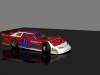
Nowadays, most of the focus in DTR2 is online, but there are still a few of us who prefer racing against the AI. They run at your pace, you can race with them whenever you want, there are up to 16 cars in an offline event. There are some offline series, but I'll show you how to get started offline racin' right off the bat!
Step 1--Make an offline install: Reinstall or copy all of DTR2 into a seperate folder, and maybe name it something like "DTR2 Offline Edition," etc. This is so whenever you do race online, it doesn't kick you out because of checksums, because you've altered some files for your offline racing pleasure and normally most online drivers don't do that. And do not race multiplayer on this Offline Install, because of the aforementioned checksum mismatches.
Step 2--Organize the classes/divisions--My SNAS cars are all in their own seperate classes already, but chances are, if you download most of the "Big Name" chassis (BLS, VLR, etc), they are in the Late Model or Concept Modified classes. This is because they will have only two gears, as putting them in their own division will cause them to have four, unlike their real counterparts. And these were designed more for online racing, so everyone can choose to match cars in the same class. It's okay for offline career series, since you assign the specific cars, and you can also assign cars, one class at a time, in the quickrace.str, but that's waaaaay too time consuming. So here's an easier way for your Offline Install: Go to the Cars folder, and open each LM, TNL, Sprint, etc chassis folder and car.str. Then in the "Class" parameter, change the name to whatever you want. Just make sure all the chassis you want to group together have the exact same class name. For example, if you want the UMP and NeSmith Crates to be in one divisions, assign them both to "CLM," or "CrLM," not one to CLM and the other to CrLM, or else they would be seperated. They will have four gears, but a lot better for single race.
Step 3--Adjust the AI for the tracks: In the tracks folder, in each track's seperate folder, they will have a Track.str. Scroll down a little and you will see "Pure difficulty, prod difficulty, race difficulty." These are the values you need to mess with. Pure difficulty is for the Pro Stocks (which are actually more like Cruisers or Hobby Stocks), Prod difficulty is for the Late Models (if you want to keep G5s in the standard LM division, this is one you should modify), and Race Difficulty is for the Concept Modifieds and Custom Classes (This is the one you need to mess with the most, since everything from Sprints to TNLs will have their speed affected by this). Adjust them a little or a lot, depending on your skill level, your setups, etc. Another thing I would like to point out is that the faster the class of car is, the slower the AI will be for that division. For example, you'll find the AI really competitive in my Pure Stocks, but quite easygoing in my 410 Sprint Cars. You can make seperate versions of the tracks with different difficulty values to get around this. Like for example, Randlefield Speedway C is for Crate Late Models, TNLs, Pure Stocks, etc, and Randlefield Speedway S is for Super ate Models, 410 Sprints, etc. Or, I guess, you could turn the difficulty in the menu waaaaay down.
Once again, remember, you need to make an Offline Install for DTR2 to make all these changes, or else you won't be able to race online.
Hope this helps!